Sync files between devices. Simply.

Simplesync moves your photos and files directly between your phone and computer over Wi-Fi. No cloud, no compression - just your originals at full quality.

Simplesync app interface

Simple. Lossless. Private.

Everything you need for fast, private syncing.

Simplicity

Scan the QR code to pair. Start syncing instantly.

Original quality

No compression — photos and videos stay original.

Encrypted transfers

Encrypted in transit over your local Wi-Fi.

Pair once, then sync in 3 steps.

Pair your devices, select files you want to sync, and start syncing.

Pair

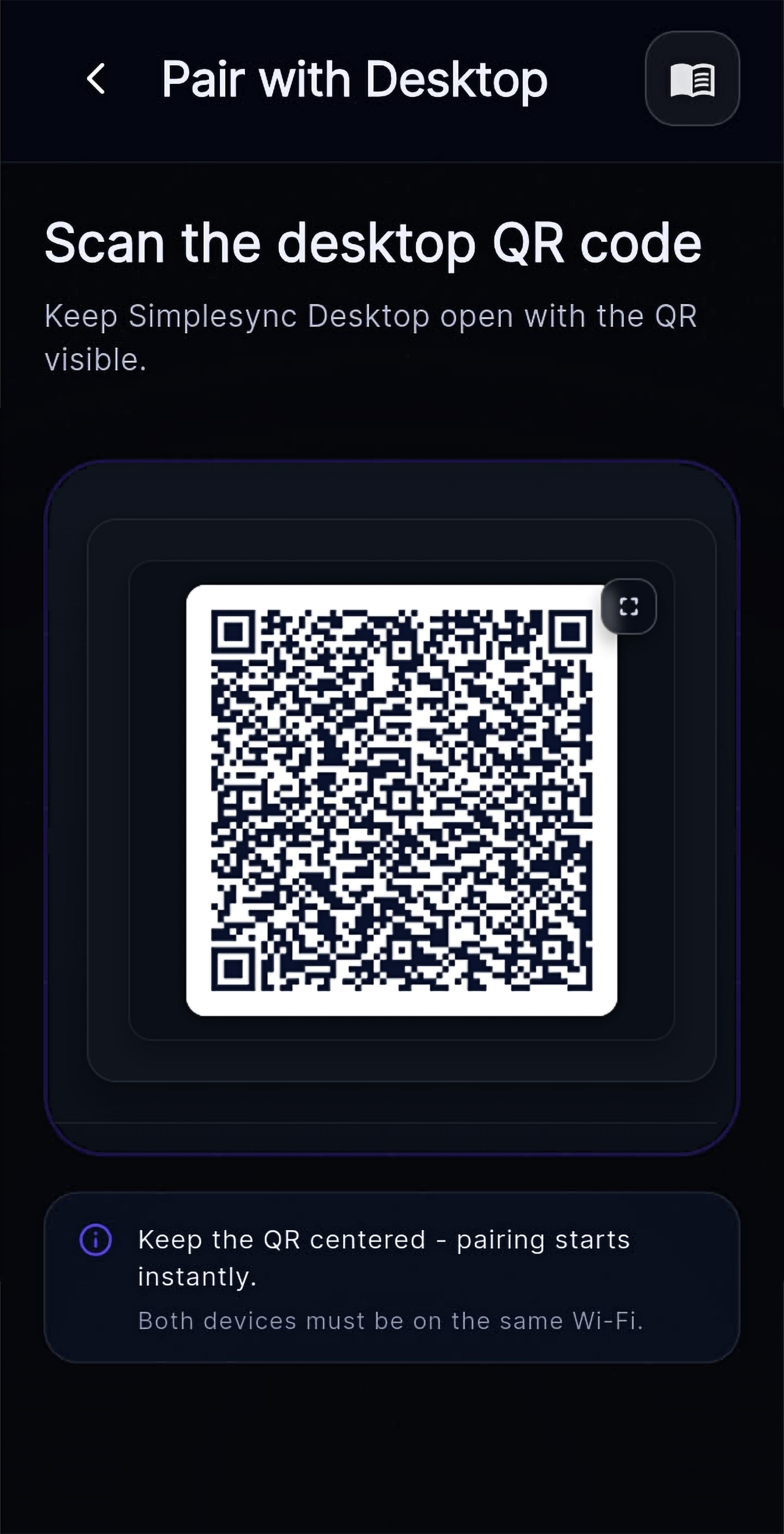
Open the desktop app, then scan the QR with your phone.

Select

Choose albums, files, or folders.

Sync

Transfers stay on your local Wi-Fi, in full quality.

Simplesync desktop QR pairing screen Simplesync mobile scan screen
Features

Simplysync's features

No accounts, no cloud - just direct Wi-Fi transfers.

No accounts

No sign-up, no login - just open and sync.

Quick pairing

Scan the QR code and you're connected in seconds.

Multi-device

Pair more than one device when you need it.

Send both ways

Send individual files in either direction.

Auto sync (optional)

Sync in the background - or only when you choose.

Works with common file types

Photos, videos, PDFs, ZIPs, and more.

What you get with premium

Everything in Free, plus power features for set-and-forget syncing.

Free

Great for quick, manual transfers.

  • Included
    1GB file transfers
  • Included
    5GB/day cap
  • Included
    One linked device
  • Included
    Auto syncing
  • Included
    High speed transfers
Recommended Most popular

Premium

Best for power users.

  • Included
    No file size limits Unlimited
  • Included
    Unlimited transfers Unlimited
  • Included
    Multiple linked devices Unlimited
  • Included
    Auto syncing
  • Included
    High speed transfers
$4.99
Upgrade to Premium
Upgrade in the mobile app.

Does Simplesync use the cloud?

No - transfers stay on your local Wi-Fi.

Do I need an account?

No sign-up. Pair once with a QR scan.

Is it secure?

Encrypted in transit on your local network.

Does anything leave my network?

No - nothing routes through Simplesync servers.

Where are files stored on desktop? Can I choose the folder?

Saved locally. Choose the destination.

Still have questions? Contact us.

Download Simplesync for desktop

Sync files between devices. Simply.